


Security Monitor

Vulnerability visibility, prioritization, and remediation options—created to complement Microsoft Intune.

ration
CapaOne-Security-Symbol
CapaOne-Security-Monitor
CapaOne Security Monitor

What You Can Do

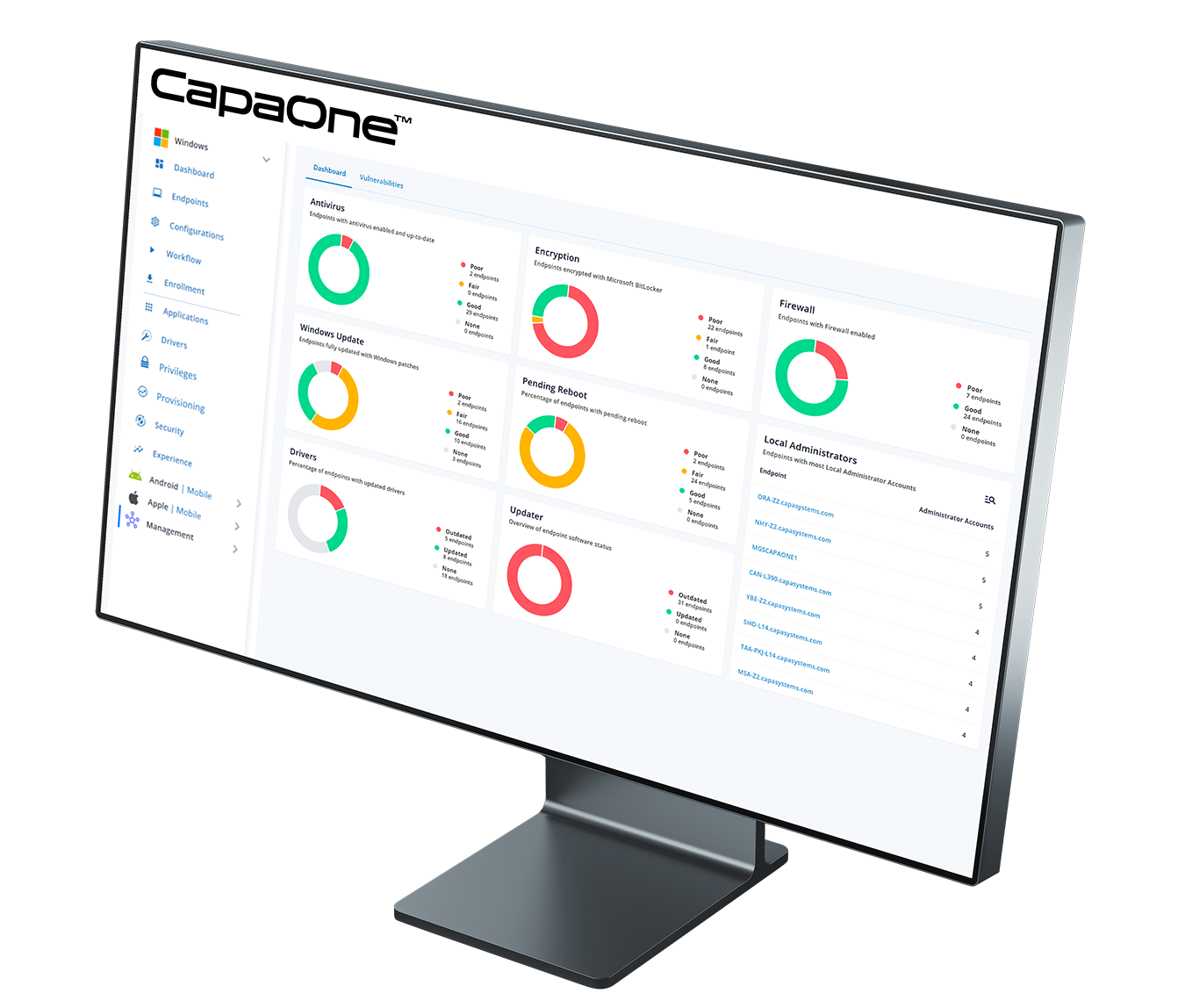
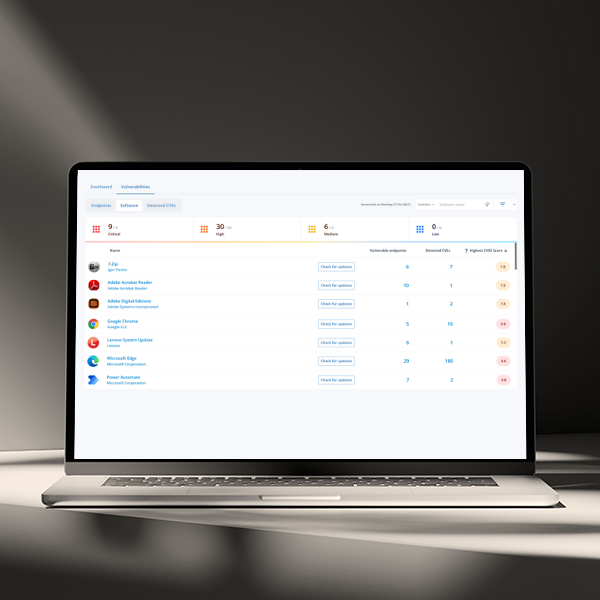
Security Monitor gives you a single, near-live view of software vulnerabilities across your endpoints—with risk-based prioritization and push-button remediation. Track exposure, age, and trigger fixes through your existing tooling—without changing how you enroll or manage endpoints.

Key Capabilities

Unified Vulnerability
Inventory Endpoint-level CVEs with version context, and scope
Risk Scoring & Context
CVSS, vendor advisories, and impact prioritization
Prioritized Queues
Smart lists by severity, exploitability and scope
Remediation Orchestration
One-click actions to update where appropriate
Dashboards
Summaries and views to highlight security status in near-real time.
Evidence & Reporting
CSV exports, change logs, and auditor-friendly summaries.
Signals & Enrichment
Ingest security signals enrich with vendor feeds.
Policy-Driven Compliance
Enforced security baselines with continuous compliance tracking.

1-Minute Product Walkthrough

How It Fits with Intune

Security & Compliance

Operational Benefits

Goals You Can Achieve

Have More Questions?

Security Monitor aggregates authoritative feeds (e.g., vendor advisories and NIST/NVD) and refreshes regularly to keep risk context current.

Yes—posture spans common enterprise applications and relevant driver components, with version context at the endpoint level.

By severity exploitability and blast radius (affected endpoint count), producing ranked remediation queues.

rigger update actions directly from Security Monitor through integrated deployment workflows

Security Monitor runs alongside Intune to validate that security policies are correctly enforced. Dashboards and summaries clearly highlight any areas that may need action.

Yes – all software is automatically scanned, so both business apps and catalog titles can be tracked.

Posture snapshots and change evidence—exportable to CSV and schedulable.

Findings are retained; remediation tasks queue and resume on reconnect.

Latest from Us

MDM Migration Without a Wipe: What macOS 26 Unlocks

If device wipes have been your reason for not consolidating your Apple fleet onto a single MDM platform, that reason just disappeared.  With macOS 26 Tahoe and iOS/iPadOS 26, Apple introduced MDM migration without a wipe — no factory resets, no data loss, no physical device handling required. The migration is orchestrated through Apple Business Manager, and users receive […]

Mickala Schwanenflügel Eilskov
No comments

Windows Autopatch Hotpatch: What It Doesn’t Patch

Only 16% of organizations required to comply with NIS2 consider themselves fully compliant — a figure that has not moved in six months, according to CyberSmart’s April 2026 NIS2 Survey of 670 business leaders across Europe. For Danish IT teams, a parallel deadline sharpens the pressure. Under the 2026 municipal budget agreement between the Danish government and KL, […]

Mickala Schwanenflügel Eilskov
No comments

Ready to get started?

Consolidate your Endpoint Operations with CapaOne

Top